Engineering Workbench Administrators can access a comprehensive list of all their accounts' subscriptions.
This is page describes the Admin Subscriptions page. Non-admin users may view their account's subscription list on the My Subscriptions page.
View Subscriptions
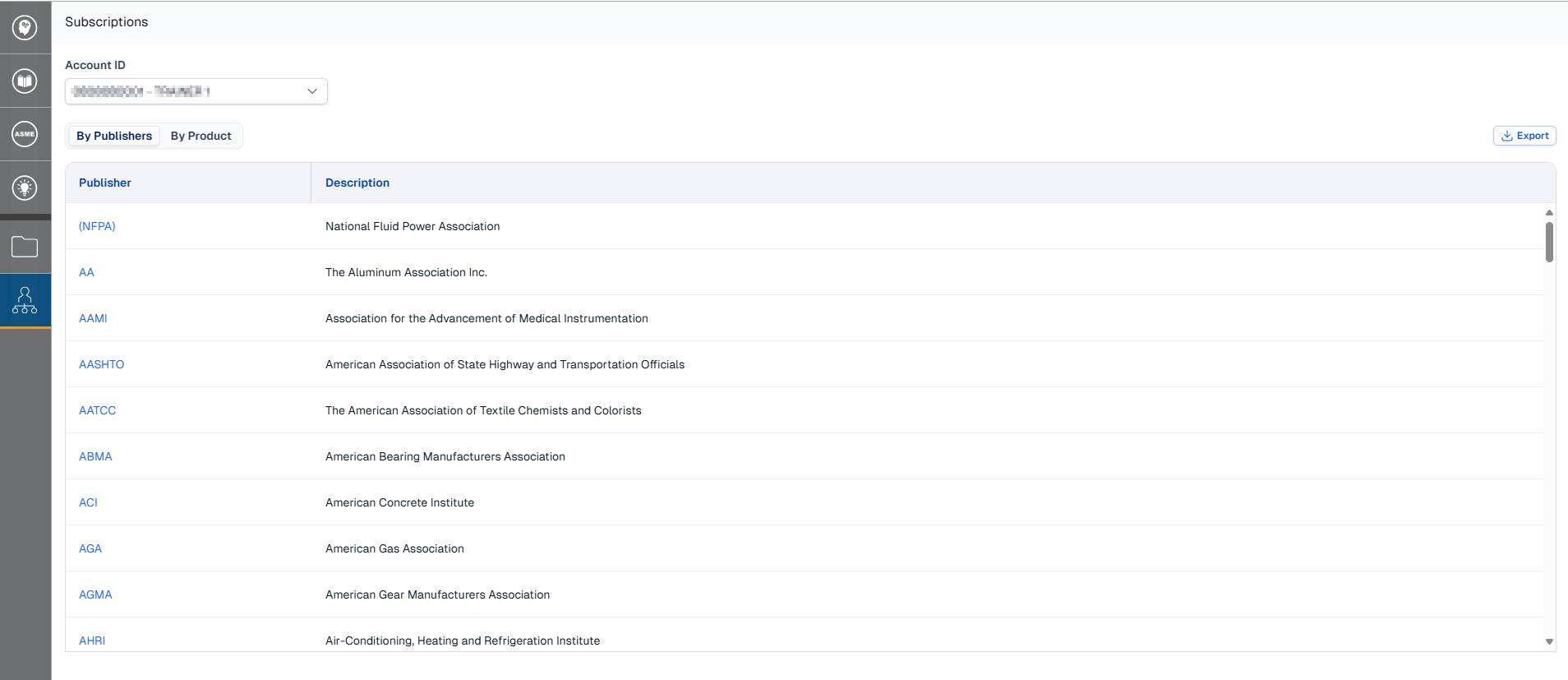
-
Open the Administrator menu and click Subscriptions.
-
Click on the Account ID drop down at the top of the page to switch between accounts.
Export Subscription List
Download a .CSV of an account's subscriptions.
-
While viewing the account you wish to export, click the Export button located at the top-right of the table.
Note: There is no confirmation dialog, your export will begin immediately after you click the button. Based on the number of documents in the account, the data may be split into multiple files or compress the file to ensure smooth and secure viewing in Excel.
-
The download will have a file name that reads "Subscriptions_[Account #]".
View Subscriptions by Product Code
Using the buttons above the list of publishers or products you can switch between two views:
-
By Publishers: Shows a full list of all publishers included in your subscription. Clicking on a publisher will open a search filtered to show only that publisher's content.
-
By Product: Shows a full list of Product Codes (PCN) as well as that PCNs description. Clicking on the PCN will open a search filtered to only documents included in that product. This view also displays the type of product, custom block count (if relevant), and maximum number of simultaneous users or "Simos".