Subscription Updates
You asked, we listened! You can now view all content changes for documents in your subscription using the Subscription Updates page.
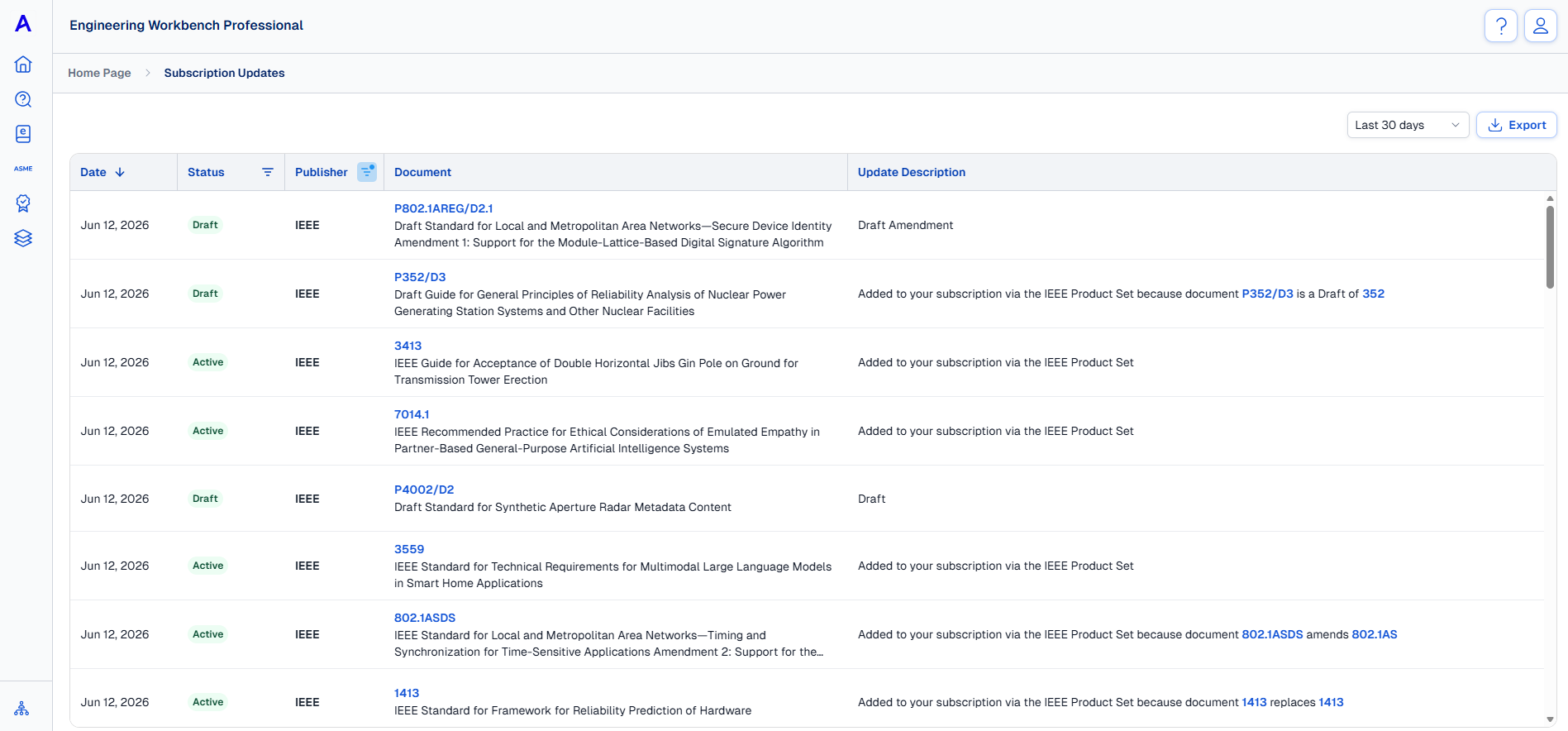
Sort and Filter Updates
Use the column headings to adjust the list of updates:
-
Sort (ascending, descending) by Date
-
Filter by Document Status
-
Filter by Publisher Name
Use the drop-down on the right, above the list of updates, to select a date range. You can view updates for the last 7, 30, 90, 180, or 360 days.
Export
To download a .CSV of update data:
-
IMPORTANT: Set your preferred date range and sorting, or filters, so that only the updates you want to download are displayed in the table. (This prevents the creation of large files with extraneous data.)
-
When you are ready, click Export in the upper right corner of the page. Download will start automatically and you can keep working as it compiles.
-
You'll receive an alert that your .CSV file is ready once export is complete.