eBook Summaries
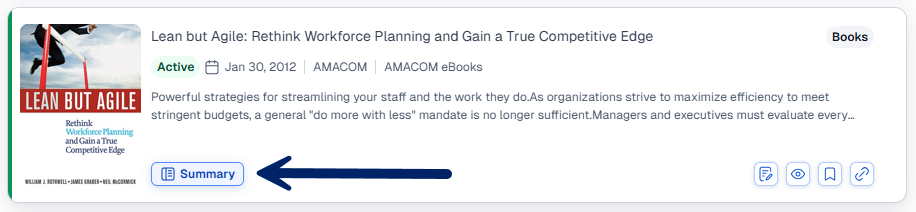
To view high level information about an ebook, click Summaryon that item's title card.
Summary Contents
The summary provides information about the eBook including Status, Publication Date, Language, the Abstract, and additional details like History and Document Notes.
Use the toolbar of icons in the top right of the summary to take advantage of EWB features like Watch Lists, Bookmarks, and more:
Toolbar Options
Bookmark
- In the toolbar at the top of the Summary, click
 .
. - Under Save to select a project or to your Bookmarks.
- You can also create a new project using the New Project button at the bottom of the window.
- Optionally, add a description.
- Check the box next to "Pin Bookmark to the Dashboard" if you want to return to this item from the homepage.
- Click Save.
Add to Watch list
- In the toolbar at the top of the Summary, click
 .
. - Select a Watch List to add the document to, or create a new one using the New Watch List button at the bottom of the window.
- If you always want the most recent edition, check the box next to Automatically update...
- Click Save.
Save to Project
- In the toolbar at the top of the Summary, click
 .
. - Under Save to select an existing project, or create a new one using the New Project button at the bottom of the window.
- Optionally, add a description to save alongside the summary.
- Click Save.
Get Link
- In the toolbar at the top of the Summary, click
 .
.