Select a combination of filters and sources to create a search configuration that the users of an account may apply to their searches.
These configurations appear in the drop-down list to the left of the search bar on the homepage and the Research page.
There are default search configurations, which can be copied or edited to suit an account's specialization:
-
- All Content: enables users to search all sources in Engineering Workbench
You can further customize these default search configurations for users of a specific account ID.
Create a New Search Configuration
-
Click + Create New Search Configuration
A window opens where you will select the scope of the search by selecting/deselecting any filter, source, date range, etc.
The selections you make on this page for a search configuration applies to all searches when a user applies this configuration to a search.
Edit a Configuration
To edit a search configuration, click the pencil icon:  .
.
Duplicate a Configuration
To copy an existing search configuration, click  .
.
Hide/Show in Search Bar
To include a search configuration within the drop-down list next to the search bar on the homepage and the Research page:
Use the toggle on that configuration card (Show/Hide).
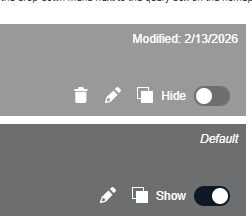
Note: You must display at least one search configuration in this drop-down list.
Arrange Configuration List
To arrange the order in which search configurations are displayed in the drop-down list next to the search bar:
Drag and drop the configuration cards, the order they appear here will be reflected in the search bar drop-down.
Delete a Search Configuration
- To delete the search configurations you create, click
 .
.