Working with the Supplier Viewer
The Supplier Viewer is a application that displays details about a particular supplier or vendor you are working with, such as the contact details associated with a supplier, or the URL of the website associated with a supplier. This viewer also displays the collection of available catalogues that are published by a supplier.
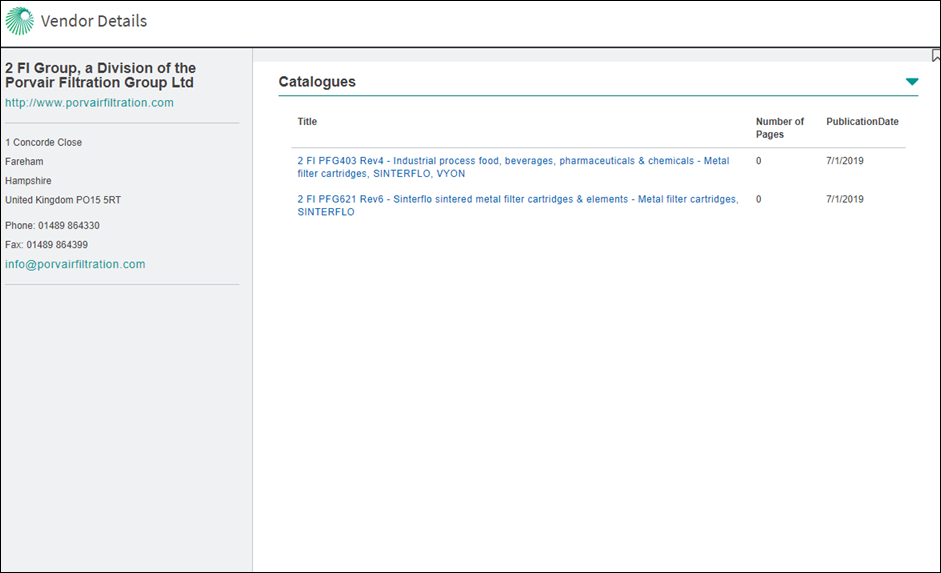
The Supplier Viewer displays to the following catalogue details:
-
Title of each catalogue
-
Number of pages in a catalogue
-
Publication date
If the supplier you are working with is BBA certified, you will also see a list of BBA certificates in this viewer.
To see the contents of a specific catalogue:
-
Click on the catalogue you want to see. The catalogue is then opened in the Document Viewer application.
To bookmark the supplier you are working with in the Supplier Viewer
- Click
 in the Supplier Viewer (If you see
  next to a search result, it means you have already saved a bookmark link to this supplier.).
- Type a name for your bookmark.
- (Optional) Type a description of the supplier.
- To display your bookmark on the home page, select the Display on Home Page check box.
- To link your bookmark to a project, select a project or create a new project.