Working with the Preview tab in the Document Viewer
If you see  next
to a document, it means
the document is not part of your company subscription, but a preview of
the document is available. Click the document title or number in the search
results to display a preview of the document in the Document
Viewer.
next
to a document, it means
the document is not part of your company subscription, but a preview of
the document is available. Click the document title or number in the search
results to display a preview of the document in the Document
Viewer.
The Preview tab looks like this
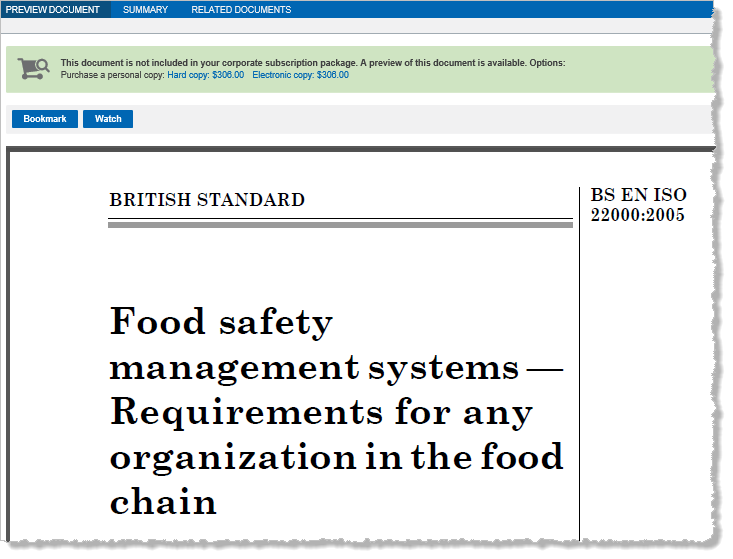
You might see the following options in the Preview tab:
Create a bookmark link to the document
- Click Bookmark to create a bookmark link to the document. Type a name for your bookmark. To link your bookmark to a project in My Workspaces, click Save To and then select an existing project or add a new project.
Add the document a to watch list
- In the Document tab toolbar, click Watch. In the Add to watch list dialog box, select an existing watch list or add a new watch list, and then click Add.