Search Results
The Engineering Workbench search results page looks like this:
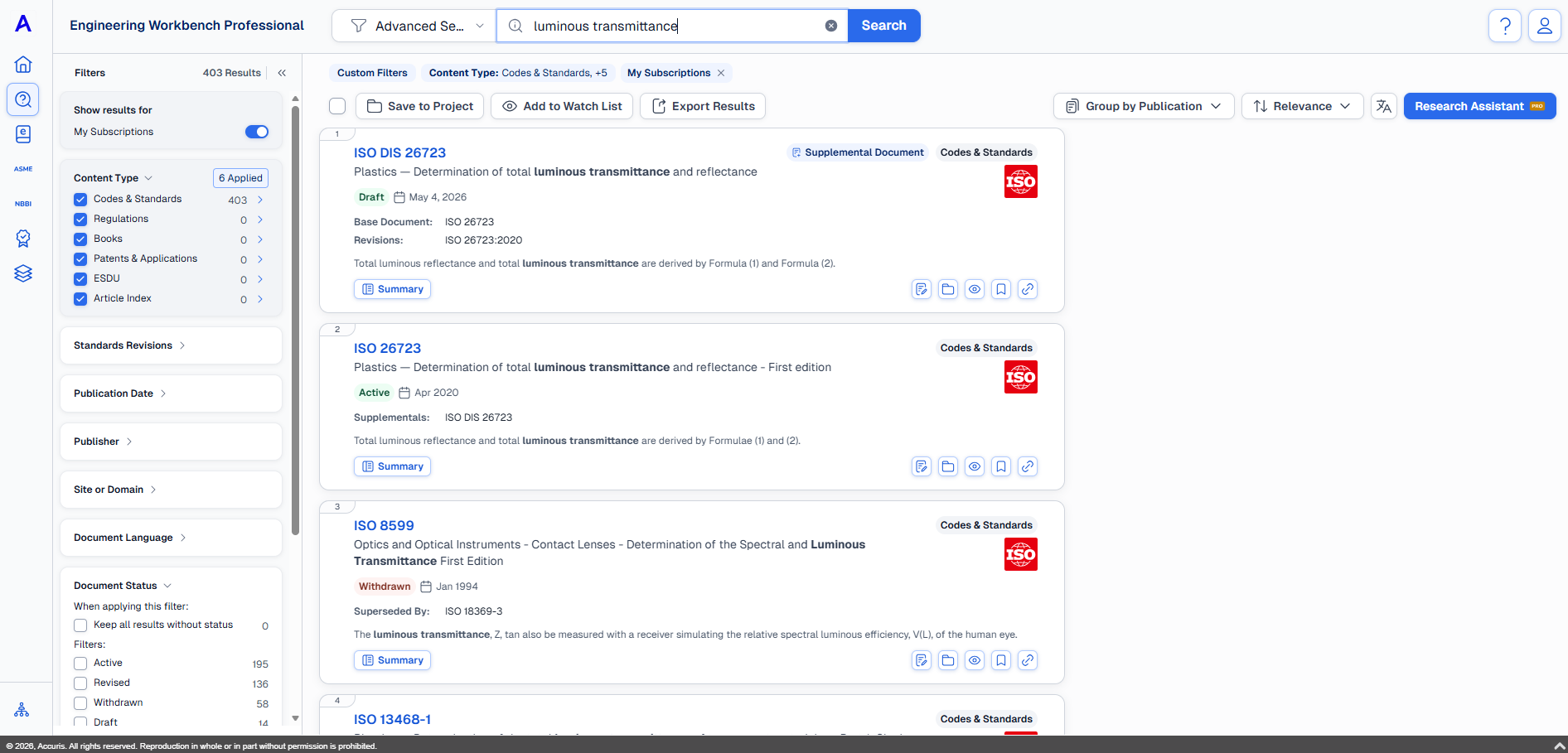
This page covers how to:
-
Save one or more documents to:
-
Project
-
Watch Lists
-
Local hard drive
-
-
Adjust document grouping within results
-
Translate search results
For instructions related to working with the documents themselves see: Document Summary .
Save, watch, or export documents

Under the search bar and search filters there are three buttons that you can use to save documents. Use the check boxes to select the documents you want to save, watch, or export then click the corresponding button:
-
Save to Project
-
Add to Watch List
-
Export Results
Adjust search result grouping
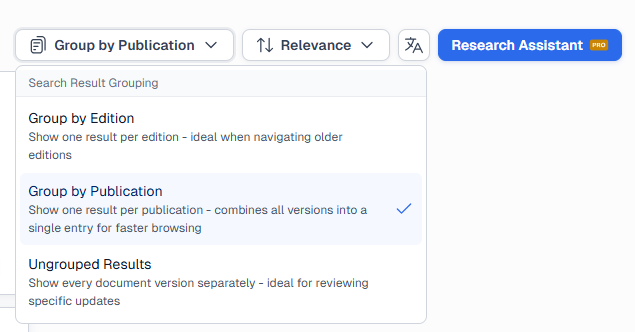
Another option for customizing your view is to choose between grouping documents:
-
Group by Edition - One listing per document edition (Condensed)
-
Group by Publication - One listing per document family (More condensed)
-
Ungrouped Results - Show every document and version separately (Not condensed)
Translate search results
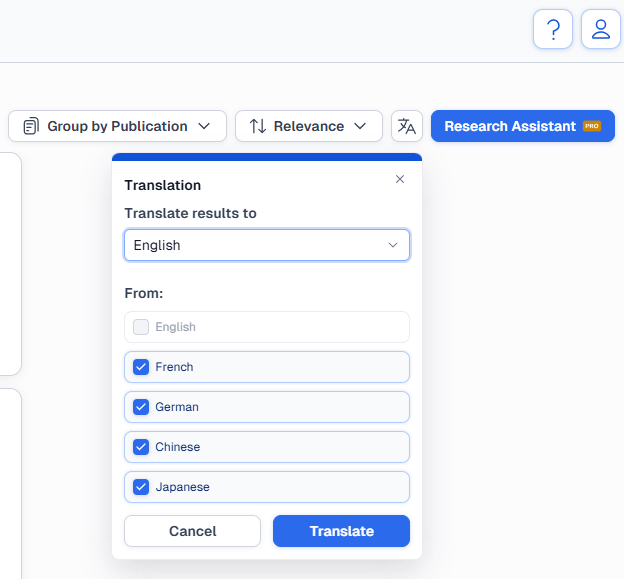
On the right side of the screen, next to the Research Assistant button, you can translate the results into English, French, German, Chinese, Japanese from one or all other languages.
You can also open Research Assistant from this page, to learn more see: Research Assistant.