Browse eBooks
To access the eBooks in your subscription, or browse additional Accuris resources, choose Browse eBooks  from the main menu.
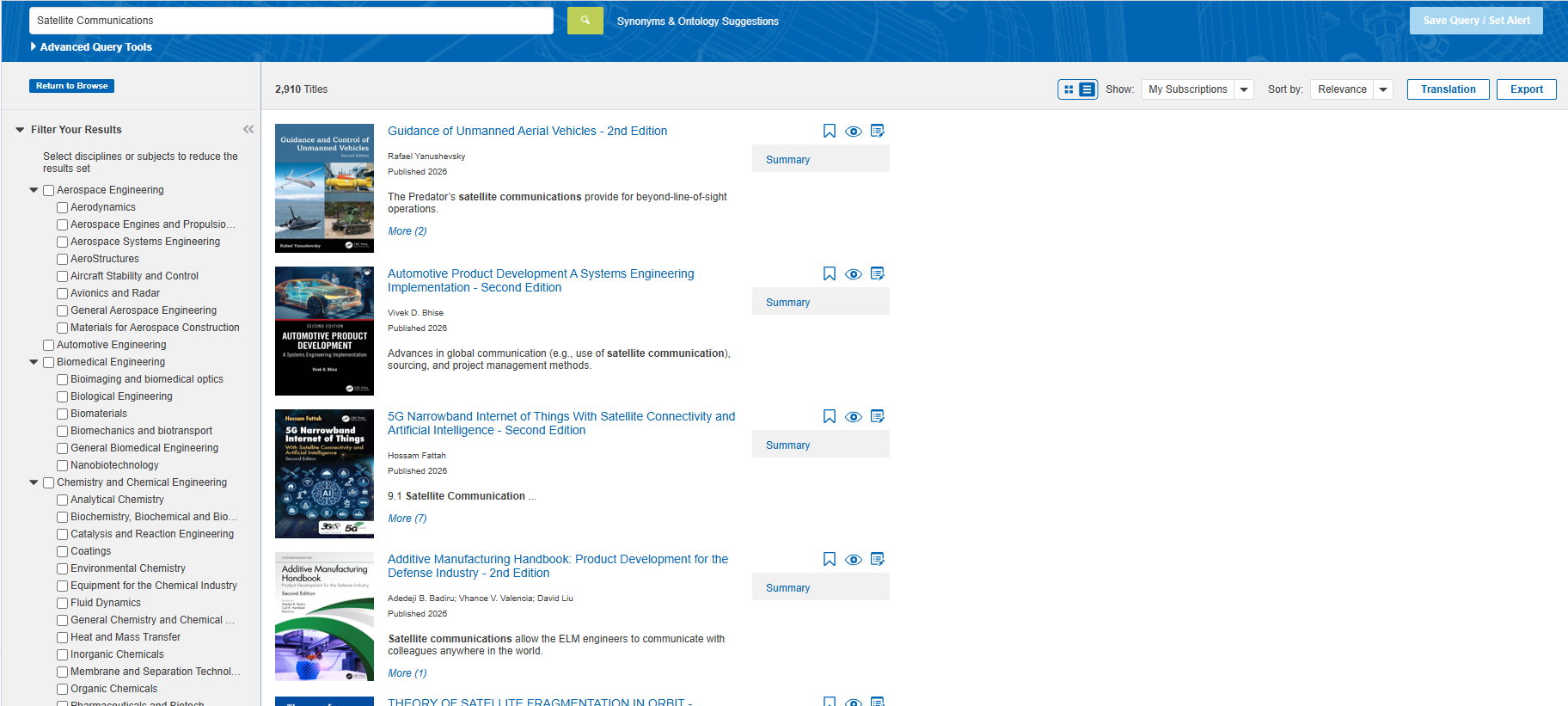
This page covers the features available on the Browse eBook page, for info on working with the Summaries see: eBook Summaries.
Navigation
There are two ways to search through Accuris eBook content:
Browse By Category
-
Use the category groups on the left filter panel
Search For eBooks
-
Type your query into the search box in the upper right corner of the page
eBook Titles
Dig further into your research using the following options:
Only Show Subscription Content
- Under Show results for, toggle the My Subscriptions option. When this option is enabled, books outside of your subscription will not be displayed.
Change the sort order
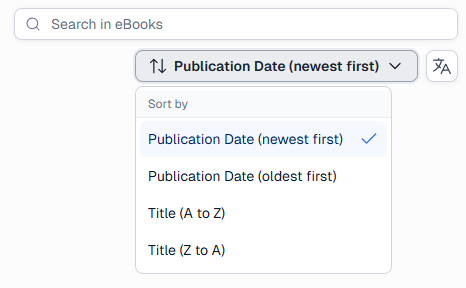
By default, eBooks will be sorted by Publication Date (newest first).
To change the sorting order, click on the drop-down under the search bar, and select from the other options.
Translate Search Results
-
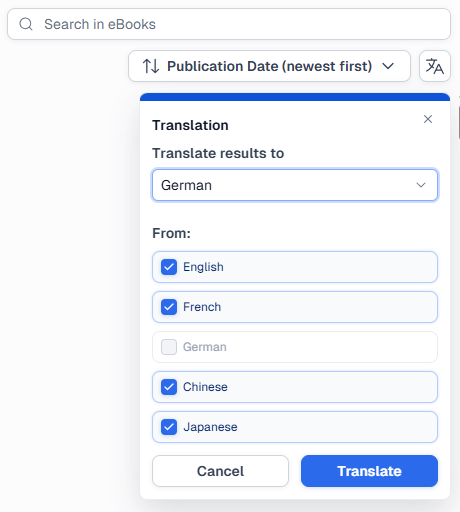
In the upper right corner of the page, click the Translation button.
-
-
Use the Translate results to drop-down to select your target language.
-
Then, under From, check the boxes next to the languages that you want to translate from.
View Summary
Using the eBook title cards you can choose to view the entire summary, or take quick actions like bookmarking.
Add A Document Note
-
At the bottom of the title card, click
 .
.
Add to Watch list
- At the top of the title card, click
 .
. - Select a Watch List to add the document to, or create a new one using the New Watch List button at the bottom of the window.
- If you always want the most recent edition, check the box next to Automatically update...
- Click Save.
Bookmark
- At the bottom right of the title card, click
 .
. - Under Save to select a project or to your Bookmarks.
- You can also create a new project using the New Project button at the bottom of the window.
- Optionally, add a description.
- Check the box next to "Pin Bookmark to the Dashboard" if you want to return to this item from the homepage.
- Click Save.
Get Link
- At the bottom right of the title card, click
 .
.