Working with Slash Sheets
Slash sheets are appendage documents to a base standard that are written by a government department. These documents provide additional and expanded specification about items, parts, and information referenced in the base standard. Not all standards have correlating slash sheets. Military and SAE standards documents are those where you might see related slash sheets. Click on the Slash Sheets tab in the Document Viewer to view a list of slash sheets The slash sheet tab looks like this:
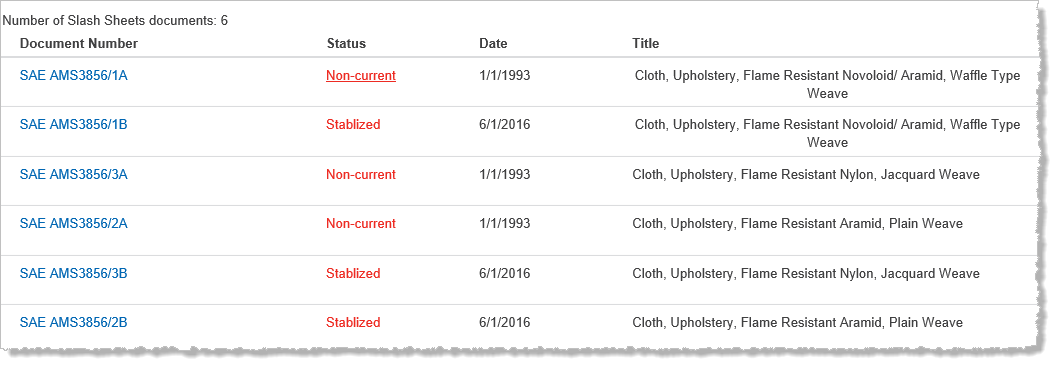
The following columns can appear in the table:
- Document Number displays the document number of the slash sheet.
- Status details the status of the slash sheet. Click on the document status to view the definition.
- Date details the publication date.
- Title refers to the slash sheet title.
To view a slash sheet, click on the document number. If you have a subscription to it, a separate Document Viewer window will open to display this document. If you want to view a slash sheet, but do not have a subscription to it, a summary of it will be displayed when you click on the slash sheet.
Slash sheet documents are also listed in the Document History tab of a document in the Document Viewer application. (If slash sheets exist in correlation to documents from your query, you can access them in the search results in both the list of Answers &Citations or in a table format. Slash sheets are accessible from the summary window of a document. You can also access slash sheets in your Watchlists.)